
You’ve planned the perfect itinerary: sunrise at Fushimi Inari, a sushi breakfast in Tsukiji, and a neon-soaked night in Shinjuku. But then it happens. Your camera memory card fills up, your universal adapter dies, or you realize those “walking shoes” are giving you blisters after 20,000 steps.
You could spend three hours hunting through a massive department store, or you could use the smartest travel hack in Japan: Amazon Japan. But here is the catch—most travelers don’t want to wait around their hotel lobby for a delivery, and some Airbnbs don’t even allow packages. Enter the battle of the titans: Amazon Hub Lockers vs. Konbini Pickup. 🌸🏯🍜
🇯🇵 Quick Hack Summary
- ✅ Efficiency: Get specialized gear or niche Japanese snacks delivered in 24 hours.
- ✅ Privacy: No need to share your hotel details or interact with staff.
- ✅ Freedom: Pick up your package at 2 AM after a ramen run.
(Very Easy)
📦 Why Use “Counter Pickup” Instead of Hotel Delivery?
In the past, travelers just sent everything to their hotel. But Japan is changing! Many “Business Hotels” and “Capsule Hotels” have limited storage space and are starting to charge package handling fees (usually ¥500–¥1,000 per box). Worse, if you’re staying in a Machiya (traditional townhouse) or an Airbnb, there is often no one there to sign for the delivery.
By using an Amazon Hub Locker or a Konbini (Convenience Store), you take full control. You can order items while you’re at the airport in your home country and have them waiting for you the moment you drop your bags in Tokyo.
📊 Pick-up Method Speed & Ease
Lightning Fast
Moderate
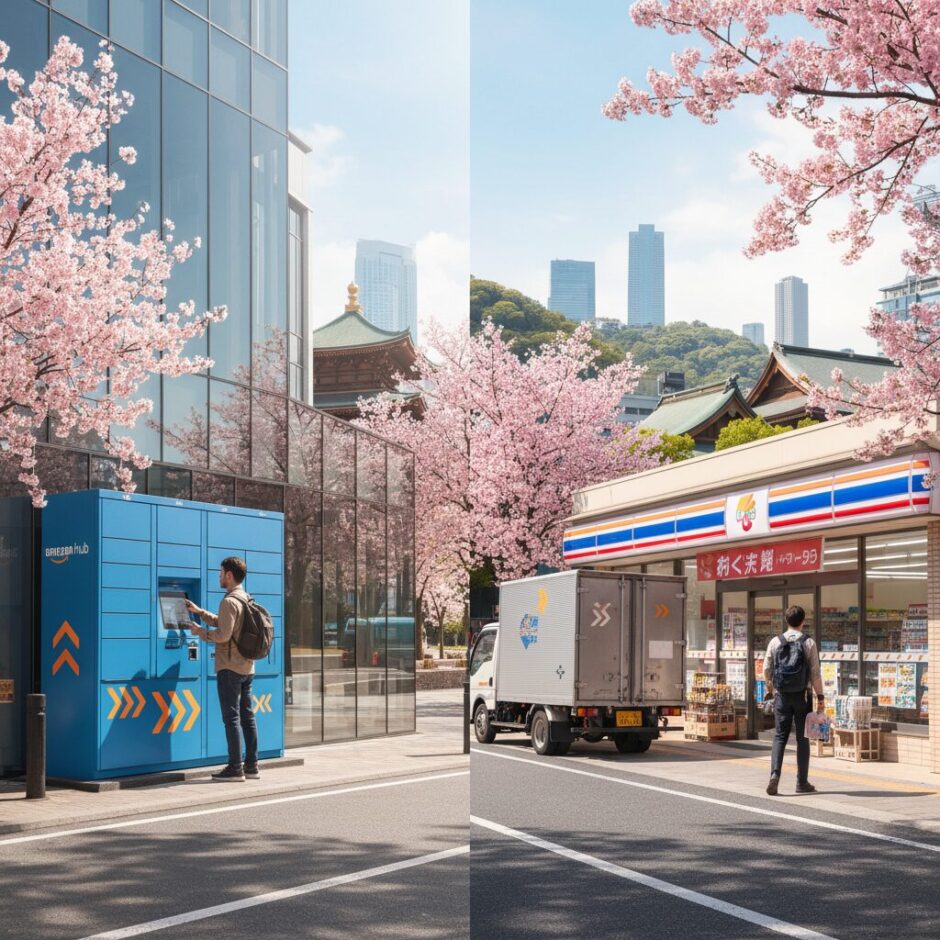
🤖 Option 1: The Amazon Hub Locker (The Introvert’s Dream)
Amazon Hub Lockers are the bright yellow (or sometimes blue) kiosks found in train stations, parking lots, and inside FamilyMart locations. For a tourist, these are the gold standard for convenience.
🌈 The Pros
- Zero Language Barrier: You just scan a QR code from your email. No talking required.
- 24/7 Access: Most lockers are accessible around the clock (unless they are inside a mall that closes).
- Speed: From walking up to the locker to walking away with your box, it takes about 15 seconds.
⚠️ The Cons
- Short Storage Window: You only have 3 days to pick up your package before it is sent back for a refund.
- Size Limits: Don’t try to order a giant suitcase or a rice cooker to a locker. If it doesn’t fit, the option won’t appear at checkout.
💡 Pro-Tip:
Lockers are often named after Japanese flowers or landmarks (e.g., Locker “Sakura”). When selecting your delivery point on the Amazon app, look for the “Locker” icon to ensure you aren’t choosing a counter pickup by mistake!
🏪 Option 2: Konbini Pickup (The Reliable Classic)
If there isn’t a locker nearby, the Konbini (Convenience Store) pickup is your best friend. In Japan, Lawson and FamilyMart are the primary partners for Amazon. Note: 7-Eleven generally does NOT accept Amazon Japan pickups (they have their own logistics network).
How to pick up at a Konbini:
- Choose your store at checkout (Convenience Store Pickup).
- Wait for the “Arrived” email. It will contain a Barcode or two sets of numbers (Authorization Number and Order Number).
- For Lawson: Go to the “Loppi” red machine, enter your codes, print a slip, and take it to the register.
- For FamilyMart: Many now allow you to show a barcode directly from your phone to the cashier.
受け取り
(Ukitori)
“Pickup” / “Receipt”
Use this if you need to tell the clerk you are there to collect a package: “Amazon no ukitori onegaishimasu.”
🛠️ The Setup: How to do this as a Foreigner
You might be wondering: “Can I use my home Amazon account?” The answer is No. Amazon accounts are region-specific. You must create a new account on Amazon.co.jp.
Step 1: Set Language to English. Look for the globe icon in the menu. This makes the entire process seamless.
Step 2: Add a Travel Address. When it asks for your address, use your first hotel’s address. This “unlocks” nearby pickup points in the search results.
Step 3: Choose “Pick-up Location.” Instead of entering a home address at checkout, click “Find a pickup location near you.” You can search by “Current Location” or “Address.”
⚠️ Manner Alert!
Do not leave your empty Amazon boxes at the Konbini or in public trash cans. Trash disposal is a major issue in Japan. Take the box back to your hotel to recycle it or break it down flat before disposing of it in the proper bin!
💡 Final Verdict: Which One Should You Choose?
If you are staying in a major city like Tokyo, Osaka, or Kyoto for only 2-3 days, use the Amazon Hub Locker. It is faster and requires no social energy after a long day of sightseeing.
However, if you are heading into the countryside or “Inaka” (rural areas), or if you aren’t sure exactly which day you’ll be able to swing by the store, choose the Konbini (Lawson/FamilyMart). The 7-day storage window gives you much more breathing room if your travel plans change.
Ordering on Amazon Japan isn’t just about “shopping”—it’s a travel strategy. It saves you from the “Tourist Markup” at airport shops and ensures you have the exact gear you need to make your trip comfortable. Happy hacking!